I was searching for a way to create a panorama shot but just found some wired information’s about PartX properties. Then i came to a post where it was described how it works with blender 2.5.
But now i have more accurate settings for a better render this way.
The setup is now fairly easy:
- place the camera with horizontal alignment between the objects
- set the focal length to 5.050mm
- enable the panorama option
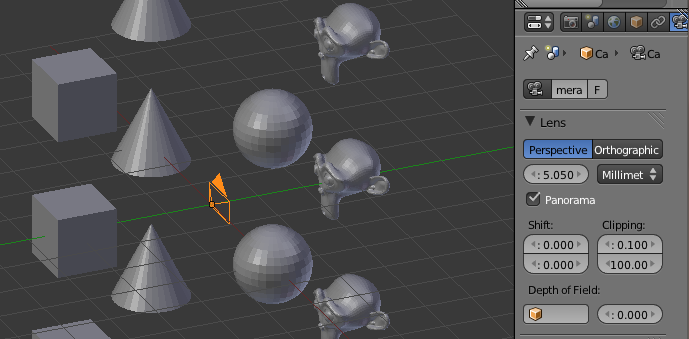
Next we have to setup the render options:
- In the performance tab extend the Tiles X and Y to 360 and 180. (This will increase the render time but reduces the count of artifacts)
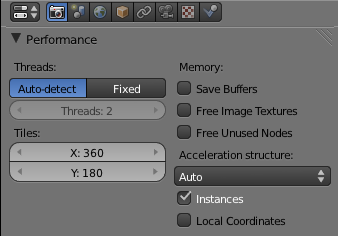
With these settings, you get a result like this:

Happy blending :)